
See presence by prompt
Find the questions where your brand appears and the ones where it is absent. Review each prompt individually so an overall number does not hide a gap in an important buying question.

See how often your brand’s paid ads appear on your tracked ChatGPT prompts. Review the completed checks behind each result and see how your presence changes over time.
Free to start. No card required.
One ad sighting only tells you what happened in one check. Ad visibility tracking brings repeated checks together, so you can review your brand’s presence for a prompt with the market, tracking period and check count attached.
Find the questions where your brand appears and the ones where it is absent. Review each prompt individually so an overall number does not hide a gap in an important buying question.
Ad presence is the number of completed checks containing your brand’s ad, divided by all completed checks in the selected result. Keep both numbers in view when you interpret the percentage.
Use your tracking history to compare periods. Keep the prompt set and market consistent, and check the number of completed checks before drawing a conclusion about a change.
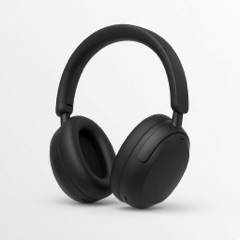
Aven Audio is tracking “Best noise cancelling headphones for work” in the United States. In this example period, its ad appeared in 18 of 28 completed checks.
| Tracking result | Count | Meaning |
|---|---|---|
| Brand present | 18 checks | A Aven Audio ad was recorded in these checks. |
| Brand absent | 10 checks | A Aven Audio ad was not recorded in these checks. |
| Completed checks | 28 checks | The total used to calculate ad presence. |
18 ÷ 28 × 100 = 64% ad presence, rounded
64% is not a share of all ChatGPT users or impressions. The 10 checks without Aven Audio may include competing ads or no ads; open the results to understand which.
Start with the prompt or prompt set, market and date range you want to review. This defines what the presence result describes.
Look at the percentage alongside its counts. Identify prompts with consistent appearances and questions where your brand has been absent.
Review the supporting checks and recorded creatives. Use competitor tracking or gap analysis to understand what appeared when your brand did not.
Free includes 10 tracked prompts in one supported market and 30 days of history. Paid plans add more prompt coverage and full tracking history.
Understand the details before you start tracking.
Tracking & coverageDivide the number of completed checks that included your brand’s ad by the total number of completed checks in the selected tracking result, then multiply by 100. Displayed percentages may be rounded.
No. It means your brand was not recorded in the completed checks for the selected prompts, market and period. Other checks and other users can show different ads.
No. Ad presence uses completed checks as its denominator. Share of voice uses all recorded ad appearances to show how those appearances are divided between advertisers.
No. This feature tracks paid ads that appear in ChatGPT. An organic mention of your brand in an answer is different from an ad appearance.
No. Metistic tracks ads independently. Start with your brand’s website, a supported market and the prompts you want to track.
See your ads, your competitors and the gaps across the prompts that matter to your brand.
Free to start. No card required.