On Google, the closest thing to share of voice is a report. You open auction insights, read your impression share, and see who else was competing.
In ChatGPT it isn’t a report anywhere. Ads Manager gives you impressions, clicks, spend, CTR, average CPC, average CPM and conversions, plus order sales and ROAS if you send order_created events. You can segment by device, country and platform, add columns for individual conversion events, and open a Products view for feed campaigns. None of it tells you who else appeared on the conversations you paid to be in, or how often.
So if you want ChatGPT share of voice, you have to measure it yourself, from the user’s side of the screen. This post covers what the number means, how to calculate it, and the two ways it misleads people who report it on its own.
What share of voice means in ChatGPT
ChatGPT share of voice is each advertiser’s share of the ad appearances recorded across a fixed set of prompts, in one market, over one period. If you checked your category’s prompts 120 times and saw 102 ads, and 18 were yours, your share of voice is 18 of 102.
Two boundaries are worth stating up front:
- This is paid share of voice. It counts the sponsored units below the answer. Brands named inside the answer itself are a separate measurement, closer to what GEO tools track, and the two can disagree.
- It only covers the prompts you chose. There is no category-wide total to divide by, because nobody outside OpenAI can see every conversation. Your prompt set is the market, so choose it carefully.
Why it has to be sampled
The same prompt doesn’t return the same ad every time. OpenAI says it runs a relevance-weighted, second-price auction among eligible ads, that the ads system weighs expected relevance and outcomes, and that context hints guide matching but aren’t exact-match keywords and don’t guarantee delivery. The ad’s landing page, title and copy count as signals, and with ads personalisation on, select signals from the user’s wider ChatGPT use can feed in too.
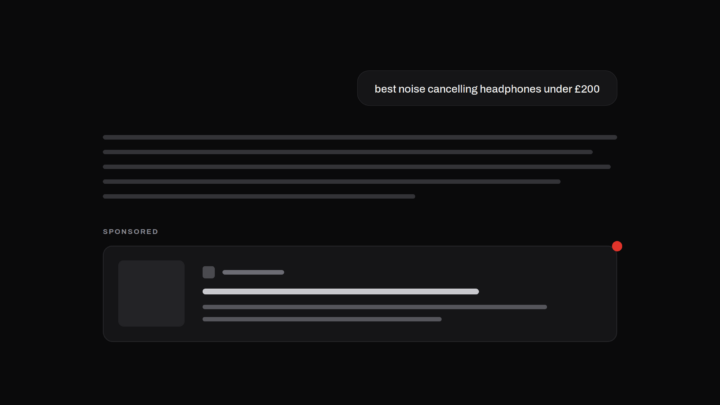
The practical result: one check is one draw. A brand we tracked appeared on 62% of 92 checks of a headphones prompt. That’s a well-placed advertiser, and it was still missing from roughly four checks in ten. Check once and you might conclude it isn’t advertising at all.
Share of voice built from a handful of screenshots inherits that noise. Built from repeated checks of the same prompts, it settles into something you can act on.
How to calculate it
You need three counts from the same window: completed checks, checks where any ad appeared, and recorded ad appearances per advertiser. Here’s an illustrative month for a running-shoe retailer, Stridewell, tracking three prompts at 40 checks each. The brands and numbers are made up; the method isn’t.
| Advertiser | Ad appearances | Share of voice (of 102 appearances) | Ad presence (of 120 completed checks) |
|---|---|---|---|
| Pacefield | 54 | 53% | 45% |
| Trailmoor | 30 | 29% | 25% |
| Stridewell (you) | 18 | 18% | 15% |
| No ads seen | 18 checks | — | 15% of checks |
In this example each check showed at most one ad, so 102 of 120 checks had an ad: an 85% fill rate. If a check shows two ads, count both appearances.
The formula is simple: share of voice = your ad appearances ÷ all recorded ad appearances. The second column is the one people call share of voice. The third column is the one most people forget to report.
Always ship it with its sample size
These are estimates, not counts of the whole market. Stridewell’s 18% comes from 102 recorded appearances, and the 95% interval runs from about 12% to 26%. Pacefield’s 53% could plausibly be anywhere from 43% to 62%.
That’s fine, as long as it’s written down. “18% share of voice (n=102 ads, 120 checks, 1–31 Oct)” is a number someone can make a decision with. “18% share of voice” on its own invites a client to compare it with last month’s 21% and call it a decline, when both sit inside the same band.
Two ways share of voice misleads
It rises when a competitor leaves, even if you gained nothing. Say Trailmoor pauses next month and everything else stays the same. Pacefield still shows 54 times, Stridewell 18, and the other 48 checks show no ads. Stridewell’s share of voice jumps from 18% to 25%. Its ad presence is still 15%. Nobody saw Stridewell more often; there were just fewer ads to be compared against. Report share of voice alone and that looks like a win.
Pooling prompts hides where you lose. A single share of voice figure across all prompts is weighted towards the busiest ones. If one prompt fills on nearly every check and another rarely does, the busy prompt sets the number. You can lead overall and be absent on the prompt your customers ask most. Look at it per prompt before you look at the total.
The fix for both is the same: report share of voice next to ad presence and fill rate, per prompt, with the sample size attached.
What to do with it
Once you have per-prompt numbers, most findings fall into one of three readings:
- You’re absent and a competitor is present. Someone is being matched where you aren’t. That’s a tracking gap, and the first things to revisit are your context hints and ad copy for that intent.
- Your share of voice is falling but your presence isn’t. A new advertiser has arrived. Check which competitors appear and what they’re running.
- No ads were seen. No advertiser appeared in the checks. That doesn’t prove nobody is bidding, but if the prompt is commercially relevant to you, it’s worth investigating.
Measuring it by hand, and where that stops working
You can start manually. Use a Free or Go account in the market you care about. OpenAI doesn’t show ads on Plus, Pro or Business plans, or to accounts it identifies as under 18. Fix a list of prompts written the way customers ask them. Run each one repeatedly across days and times, and log every result, including the empty ones. Our guide to tracking competitors on ChatGPT walks through it.
Two things break as you scale. The first is volume: 40 checks per prompt per month is 400 for a ten-prompt set, before you add a second market. The second is subtler. If an account isn’t being served ads, every check from it comes back empty, and an empty result from a blind account looks exactly like a prompt with no advertisers. Without a control prompt that reliably shows ads, you can’t tell the two apart, and your share of voice quietly absorbs the error.
Track it properly
Metistic checks your prompts in ChatGPT daily and records the paid ads that appear, including the checks where no ads were seen. Its share of voice view shows each advertiser’s recorded appearances next to the percentage, so the count is never hidden. You see your ad presence per prompt, which competitors appear when you don’t, and how that moves over time, with the checks behind every rate.
Start free: 10 tracked prompts in one market, no card required. Start tracking
Running ChatGPT ads for clients? See Metistic for agencies.